
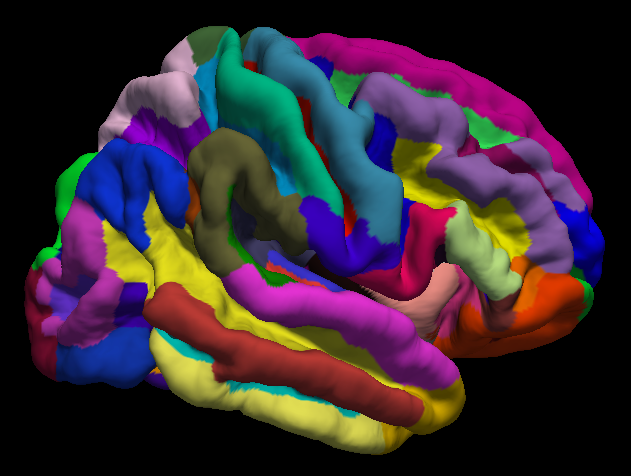
This post is for the FreeSurfer Workshop given at Haskins Laboratories on Wednesday, December 6th, at 3:00pm. Here you will find links to the programs that were discussed during the workshop. Workshop attendees can also post comments in the Disqus section below.
FreeSurfer Download:
FreeSurfer can be downloaded from this link: https://surfer.nmr.mgh.harvard.edu/fswiki/DownloadAndInstall
Prerequisites for installing parallel:
Apple Xcode: https://itunes.apple.com/us/app/xcode/id497799835?mt=12
Homebrew: https://brew.sh/
Follow the instructions on the Homebrew site for installation, then open a terminal and type "brew install parallel." Then go into your directory containing your anatomical images (in NIFTI format) and type the following:
ls *.nii | parallel --jobs 8 recon-all -s {.} -i {} -qcache -3T -all
You may want to set your SUBJECTS_DIR variable to your current working directory with the following command:
In t-shell: setenv SUBJECTS_DIR `pwd`
In bash: export SUBJETS_DIR=`pwd`
Open Science Grid
Join OSG by going here: https://www.opensciencegrid.org/join/
To deidentify fMRI data, convert your DICOM files with dcm2niix: https://github.com/rordenlab/dcm2niix
MRIs can be anonymized with mri_deface: https://surfer.nmr.mgh.harvard.edu/fswiki/mri_deface
Next, get fsurf, OSG's FreeSurfer command: https://support.opensciencegrid.org/support/solutions/articles/12000008488-setting-up-fsurf-on-your-computer
Downloading the sample data
Anatomical data from openfmri.org can be found here: https://openfmri.org/dataset/ds000174/
Running fsurf
Create a text file called "run_fsurf.sh" and use this text:
#!/bin/tcsh
#This script submits each zipped directory structure to fsurf
#You can check the status of the workflow by typing "fsurf list"
#First create the file "subjList.txt" by going into the ds174 directory containing all of the subject directories, and typing the following:
# ls | grep sub* > subjList.txt
foreach subj (`cat subjList.txt`)
cd $subj/ses-BL/anat
fsurf submit --subject=$subj --input=$subj.zip --defaced --deidentified --version 6.0.0 --freesurfer-options='-all -3T -qcache'
cd ../../..
end
As the file states, first create a textfile called "subjList.txt" by typing this from the terminal:
ls | grep sub* > subjList.txt
Then run the script using the t-shell:
tcsh run_fsurf.sh
You can check on your workflows on the OSG by typing "fsurf list"
FreeSurfer Tutorials on YouTube
This page will be updated with more links and videos; check back soon!
